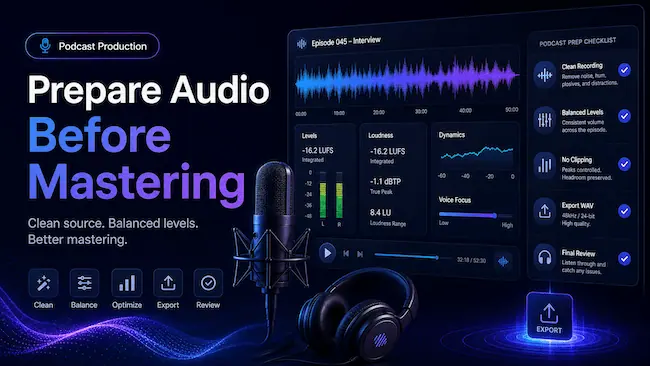
Start with the cleanest recording you have
Mastering can improve loudness, tone, balance, and final presentation, but it works best when the original audio is already clean. Use the best version of your recording, not a heavily compressed copy that has already lost quality.
If you recorded separate tracks for host, guest, music, and intro sections, prepare a clean mix first. Remove obvious mistakes, long silences, background interruptions, and repeated sections before you create the final file for mastering.
Check your episode levels before export
Your file should not be extremely quiet, but it also should not be clipping. Clipping happens when the signal is pushed too hard and the waveform becomes distorted. Once distortion is baked into the file, mastering cannot fully undo it.
Keep the mix balanced before export.
Avoid pushing the master fader into red clipping.
Leave some headroom so the mastering process has room to work.
Listen through headphones and speakers before sending the final file.
A good rule: prepare audio that sounds clean and balanced before mastering. Let mastering handle final polish, loudness, and delivery consistency.
Clean the speech, not the life out of it
Podcast listeners want clarity, but they still want the speaker to sound natural. Remove distracting noise where possible, but avoid over-processing the voice. Too much noise reduction can make speech sound thin, metallic, or unnatural.
Focus on obvious problems first: loud hum, room noise, plosives, harsh clicks, background interruptions, and sudden level jumps. A clean edit gives mastering a better foundation.
Use music and effects carefully
Intro music, outro music, ad beds, and transitions should support the message, not overpower it. If music is much louder than speech, the final master may feel uneven. Balance these sections before export so the episode feels intentional from beginning to end.
Export a high-quality file
When possible, export a WAV file for the best mastering result. WAV gives the mastering process more information to work with than a heavily compressed file. If you only have MP3, use the highest-quality version available.
Use WAV when available.
Avoid exporting the same file repeatedly through low-quality MP3 settings.
Use a clear file name that identifies the episode.
Keep a backup of the original recording and edited mix.
Review the full episode before uploading
Before mastering, listen from beginning to end. Check the intro, main discussion, transitions, guest sections, and closing. Look for sudden volume changes, missing segments, repeated edits, and accidental silence.
This final review saves time and helps you avoid mastering an unfinished edit. Once the episode is clean, balanced, and ready, upload it to TruePeakStudio for final mastering.
Final thought
Preparing podcast audio before mastering does not need to be complicated. Clean the edit, balance the voices, avoid clipping, export a strong source file, and let mastering handle the final polish. This workflow helps your podcast sound more consistent, professional, and ready for listeners.